.svg)


The best resume template for 2026 is the one an applicant tracking system (ATS) can read cleanly, that opens in the editor you already use, and that fits your career stage. Below I compare 7 templates I designed and sell, plus 4 free or independent alternatives, on the same five criteria, so you can pick the right one even if it isn't mine.
Disclosure: I designed the 7 templates in the main list and sell them through my Etsy shop, DiginewbieCo. I earn money when you buy one. I don't earn anything from the 4 alternatives in the second half of this guide. I've spent 10+ years in HR and hiring, and I wrote this the way I'd advise a friend: if a free option does the job for you, use it.
Quick pick: which template should you choose?
- Any industry, any level, any editor: ATS-Friendly Resume Template
- New grad nurses and RNs: New Grad Nurse Resume Template
- Developers and engineers: Software Engineer Resume Template
- You want a photo but still apply online: ATS Resume Template with Photo
- Word users who don't need Canva: Word Resume Template Bundle
- Managers networking, printing or applying in Europe: Corporate Resume Template with Photo
- Office and admin roles: Administrative Assistant Resume Template
- Free, in Word: Microsoft Word ATS templates
- Free, in LaTeX (tech): Jake's Resume on Overleaf
All 11 templates compared
How I evaluated these templates
I judged every template, mine and the alternatives, on the same five criteria. These are the things I check first when a resume lands on my desk, and the things that break most often when people edit a template themselves. I’ve spent over 10 years across recruitment and marketing, and I screened thousands of resumes.
1. Layout and ATS safety
Single-column layouts with standard headings (Work Experience, Education, Skills) parse most reliably. Sidebars, text boxes, tables and contact details placed in the header area are the usual reasons an ATS scrambles or drops information. I checked each template's structure in the source file, then exported each one to PDF and pasted the text into a plain text editor to see whether the sections came out in the right order.
2. Editing compatibility
A template is only useful in the tool you actually have. I opened each one in every editor it claims to support and checked whether the layout held while typing and adding a second page. Fewer editors isn't a flaw by itself, but it narrows who the template suits.
3. What's included
I counted the documents you actually get: one-page and two-page versions, a matching cover letter, a references page, and both US Letter and A4 sizes. A free template that gives you one page and nothing else means more assembly work for you.
4. Usability and guidance
Does the template tell you what to write in each section, or just give you placeholder text? Built-in guidance saves the most time for people who haven't written a resume in years.
5. Price and value
I list the regular price at the time of checking. Paid templates have to justify themselves against free ones on the four points above, not on looks.
What I didn't measure: I can't measure interview rates for you, and no template guarantees an interview. Your content and how closely it matches the job description matter more than any layout.
1. ATS-Friendly Resume Template (Word, Google Docs, Canva, Pages)
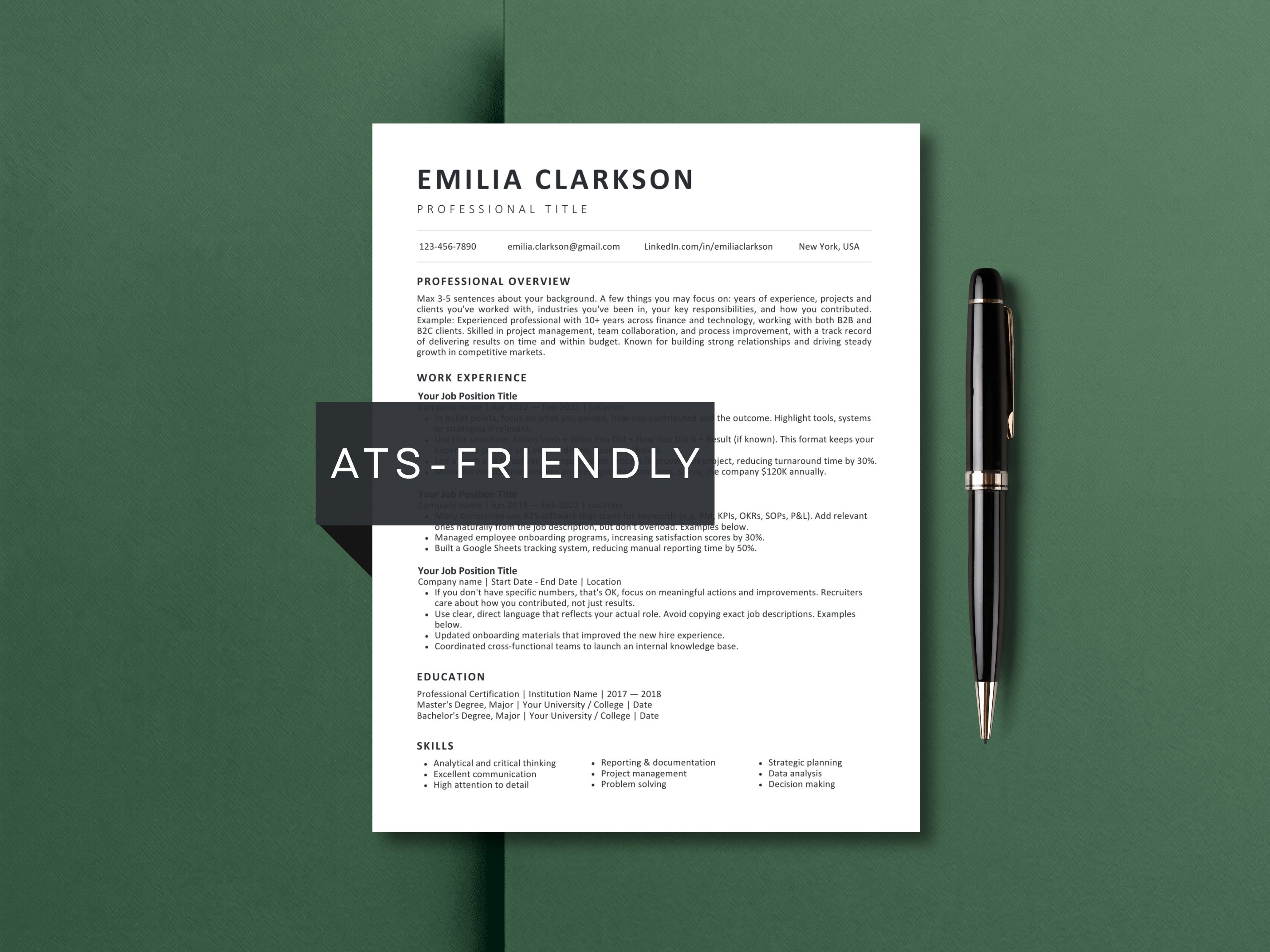
Best for: job seekers in any industry or at any career stage
Layout: single-column, standard headings
Edit in: Microsoft Word, Google Docs, Canva, Apple Pages
Included: 1-page and 2-page resume, matching cover letter, references page, US Letter and A4, resume writing and interview prep guide
If you don't know where to start, start here. It's the only template in this list that opens in all four editors, so you can switch from Google Docs to Word later without rebuilding anything. Every section has short writing guidance built in, which helps most if you haven't updated your resume in a while.
The design is deliberately plain. That’s the point for ATS screening, but if you want visual personality, this isn’t it. For how ATS software reads a resume and how to test yours, see my ATS-friendly resume guide.
2. New Grad Nurse Resume Template
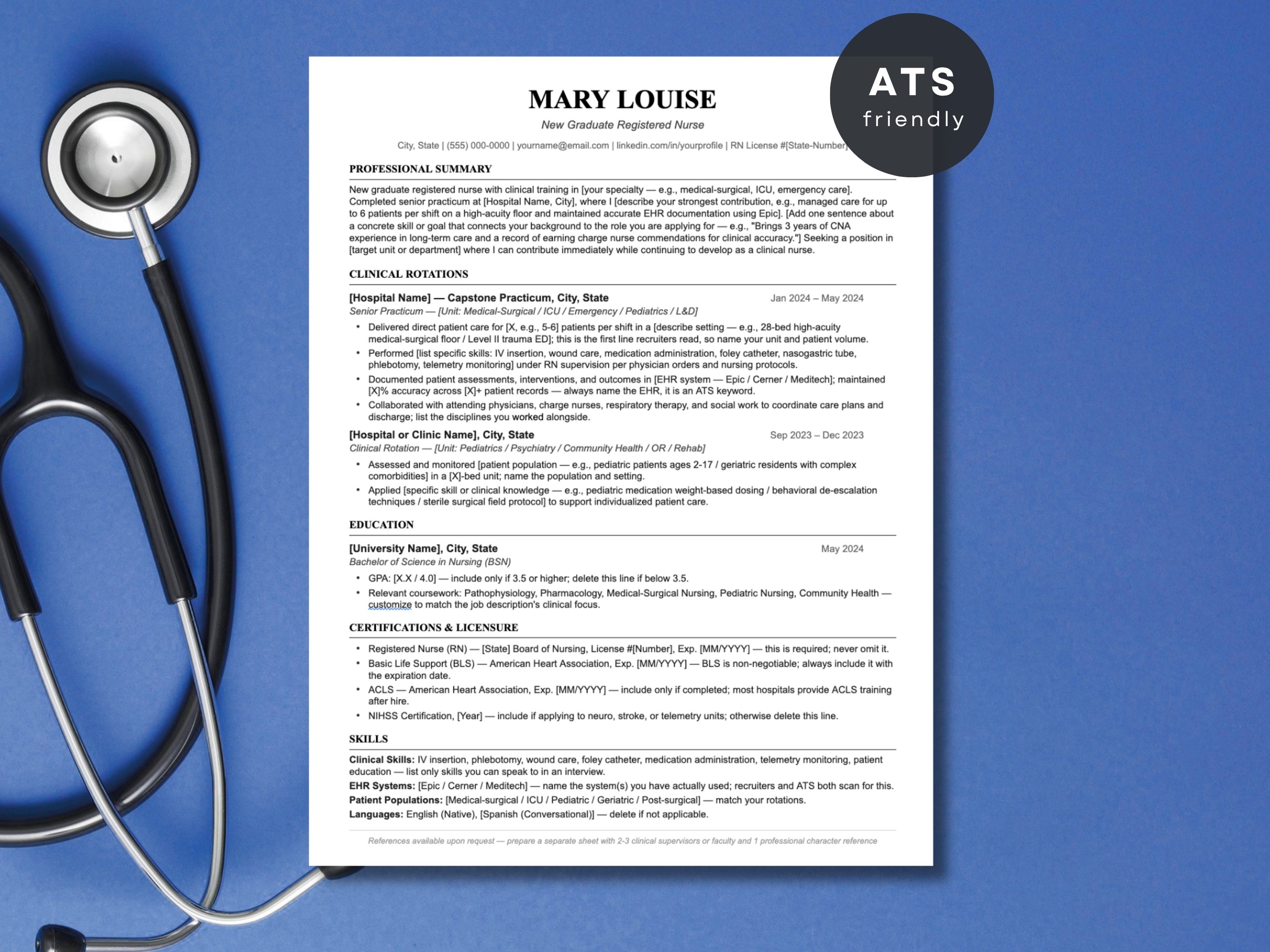
Best for: nursing students, BSN graduates and new RNs
Layout: single-column, standard headings
Edit in: Microsoft Word, Google Docs
Included: 1-page and 2-page nurse resume, matching nurse cover letter, references page, US Letter and A4, resume writing and interview prep guide
This template puts clinical rotations, licensure and certifications above work history, which is what a new grad with limited paid experience needs. The 2-page version adds room for CNA, tech or retail experience.
If you have several years as an RN, the general template in section 1 gives you more room for experience. For full examples and section-by-section writing help for new grads and experienced RNs, see my nursing resume examples guide.
3. ATS-Friendly Software Engineer Resume Template
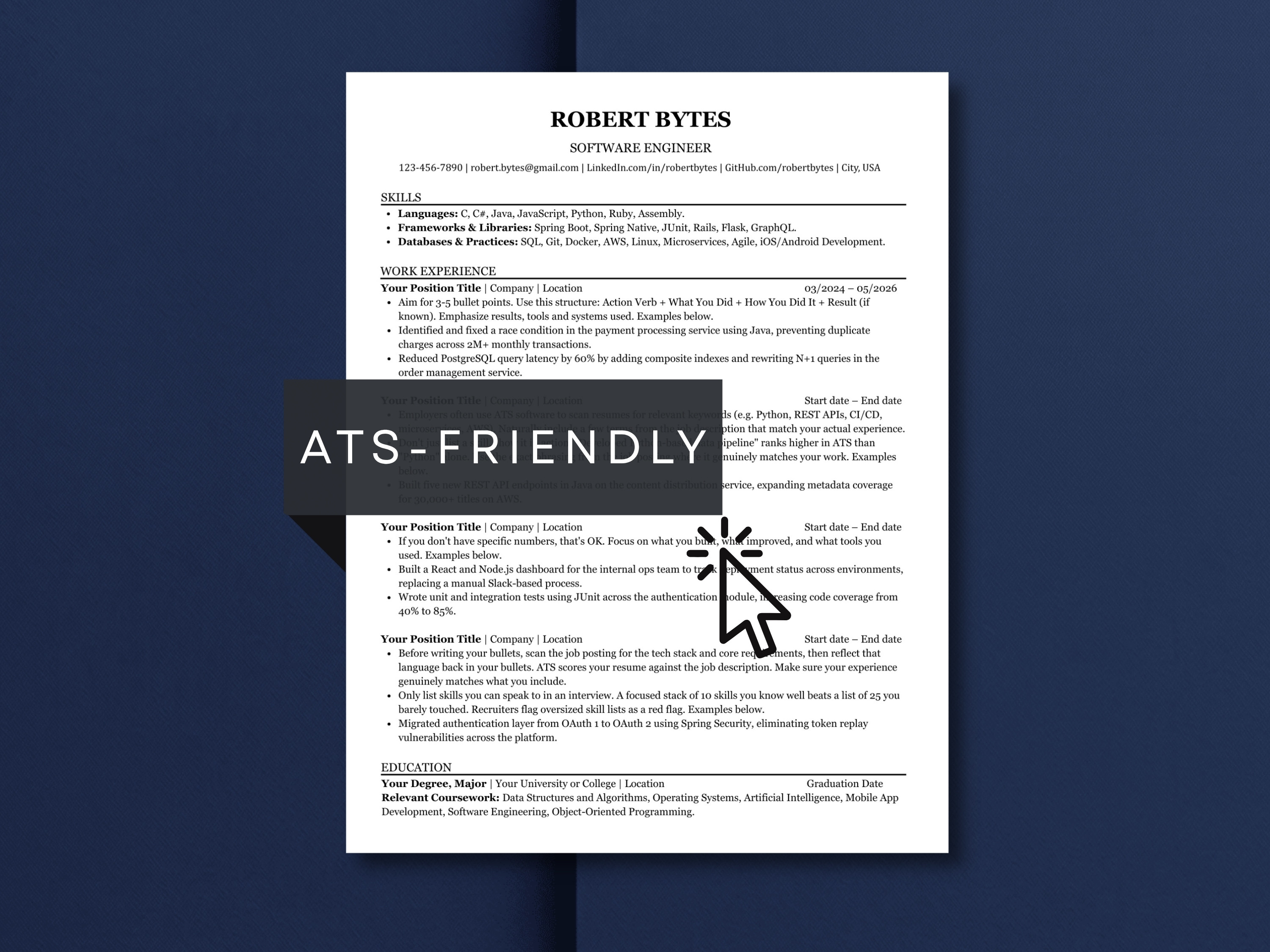
Best for: software developers and engineers (front-end, back-end, full-stack, DevOps)
Layout: single-column, standard headings
Edit in: Microsoft Word, Google Docs, Canva
Included: 1-page and 2-page resume, matching cover letter, references page, US Letter and A4, resume writing and interview prep guide
A tech resume needs room for your stack and projects, not just job history. This template splits skills into languages, frameworks and databases, and the 2-page version adds projects with GitHub link placeholders and certifications. The example bullets show how to write impact instead of task lists.
If you're comfortable in LaTeX, the free Jake's Resume (covered below) is a strong alternative and is widely recognized in tech. This template is for people who'd rather edit in Word or Google Docs.
How do you make a tech resume pass ATS?
Use the job posting’s exact tool and language names, spell out acronyms once, and skip skill grids and tables. Platforms like Greenhouse, Lever and Workday rank by keyword match before a recruiter opens the file. My ATS resume guide covers the full checklist and how to test your file.
4. ATS-Friendly Resume Template with Photo

Best for: applicants who want an optional headshot while keeping a parser-safe layout
Layout: single-column with optional photo in the header
Edit in: Microsoft Word, Google Docs
Included: 1-page and 2-page resume, matching cover letter, references page, US Letter and A4, resume writing and interview prep guide
In much of Europe and in some industries, a photo on a CV is normal. This template keeps every key detail in real text, so if an ATS skips the image, nothing important is lost. The photo is a separate element you can delete for US applications without breaking the layout.
For US applications I'd remove the photo. Most US recruiters don't expect one, and some prefer not to see one.
5. Word Resume Template Bundle
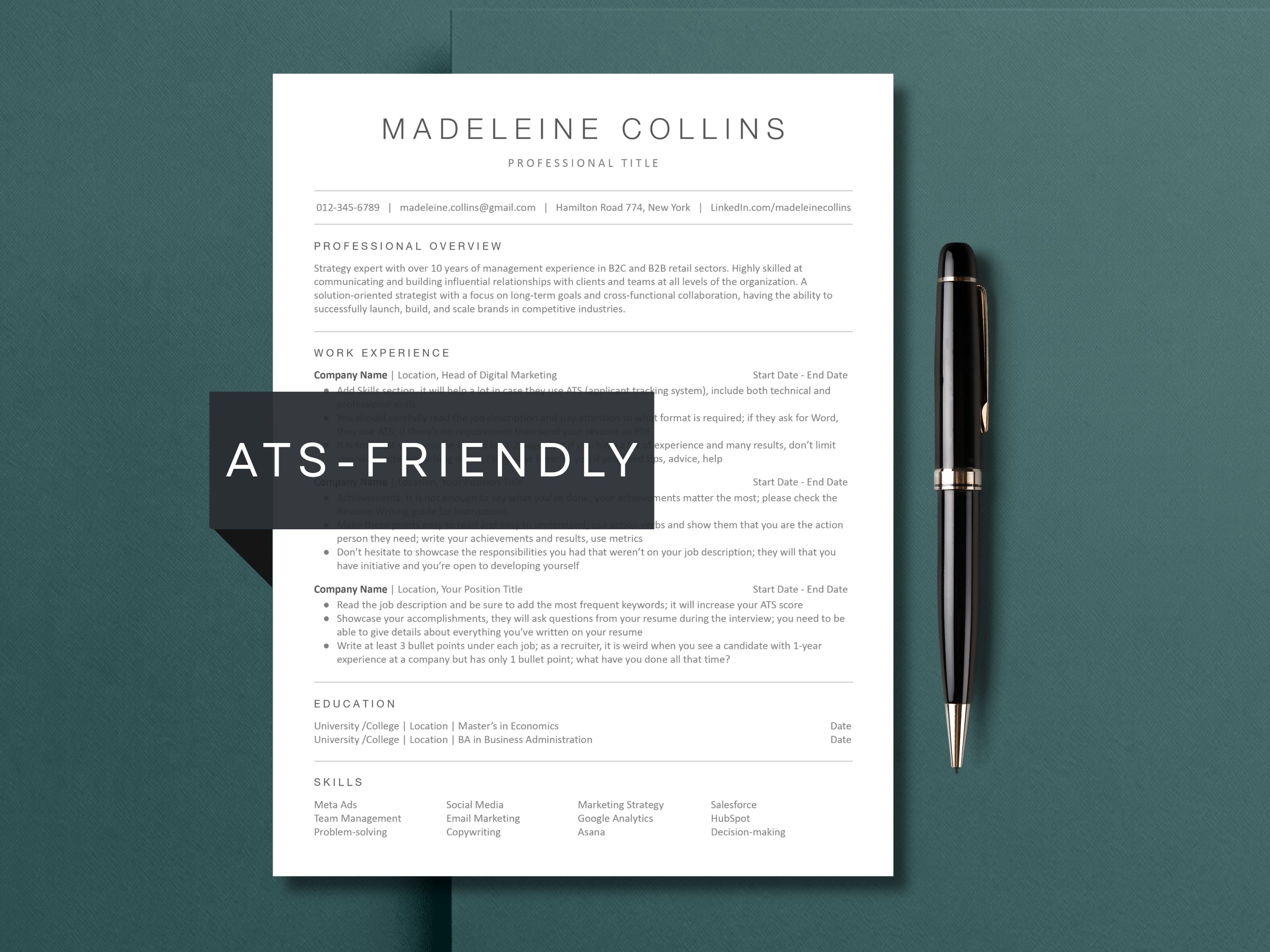
Best for: job seekers who prefer Microsoft Word and like this minimalist design
Layout: single-column, standard headings
Edit in: Microsoft Word, Google Docs, Apple Pages
Included: 1-page and 2-page resume, matching cover letter, references page, US Letter and A4, interview prep guide
This bundle uses native Word styles, so nothing jumps around while you type. Google Docs and Pages versions are included too, which helps if you edit on a Mac.
Honest comparison: it covers the same document set as the ATS-Friendly template in section 1, which adds a Canva version at the same price. Choose this one if you prefer its look. If you're undecided, section 1 gives you more flexibility.
6. Corporate Resume Template with Photo (Two-Column)
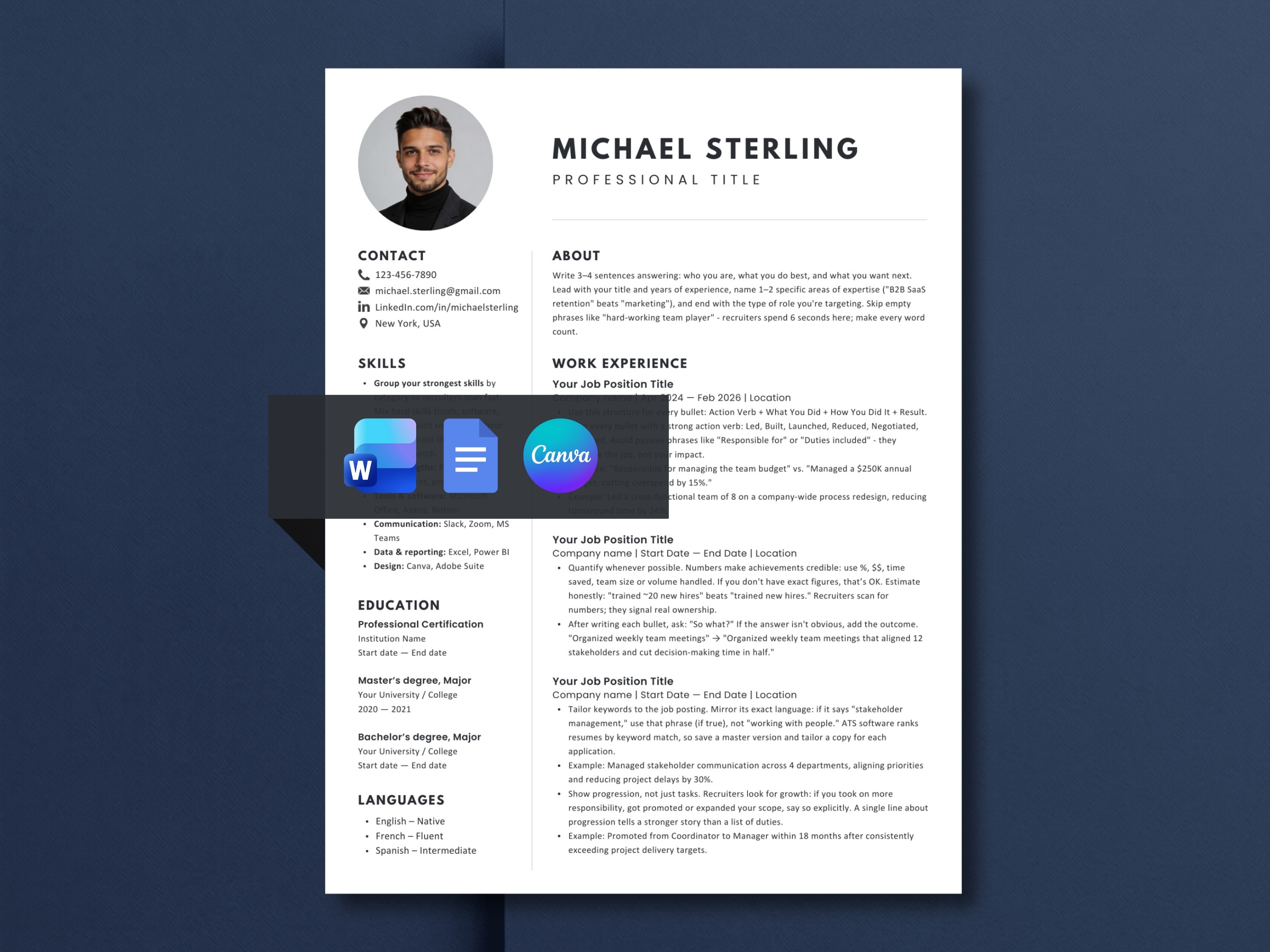
Best for: experienced professionals, managers and consultants for networking, print and photo-CV markets
Layout: two-column with sidebar and photo
Edit in: Microsoft Word, Google Docs, Canva
Included: 1-page and 2-page resume, matching cover letter, references page, US Letter and A4, resume writing and interview prep guide
This is the most visual template in the list, with a skills sidebar, a photo placeholder and color variations. It works well when a person sees your resume first: referrals, career fairs, recruiter emails, printed copies and markets where photo CVs are expected.
It's the one template here I don't recommend for online job portals. Two-column layouts can merge the sidebar into your work history when an ATS reads across the page. Pair it with a single-column template from this list for online applications.
7. Administrative Assistant Resume Template

Best for: administrative, office, executive assistant and receptionist roles
Layout: single-column with optional photo
Edit in: Microsoft Word, Google Docs
Included: 1-page and 2-page resume, matching cover letter, references page, US Letter and A4, resume writing and interview prep guide
Admin resumes get passed over most often for listing tasks instead of scope. "Managed calendars" says little; "managed calendars for a 12-person leadership team" says a lot. This template's guidance pushes you toward the second version, and the skills section has room for the software employers screen for.
It's role-specific, so if you're moving out of admin work, the general template in section 1 is a better fit.
Free and independent alternatives worth considering
I don't sell any of these and earn nothing from them. I judged them on the same five criteria. If one of them covers what you need, save your money.
Free, from me (Word)
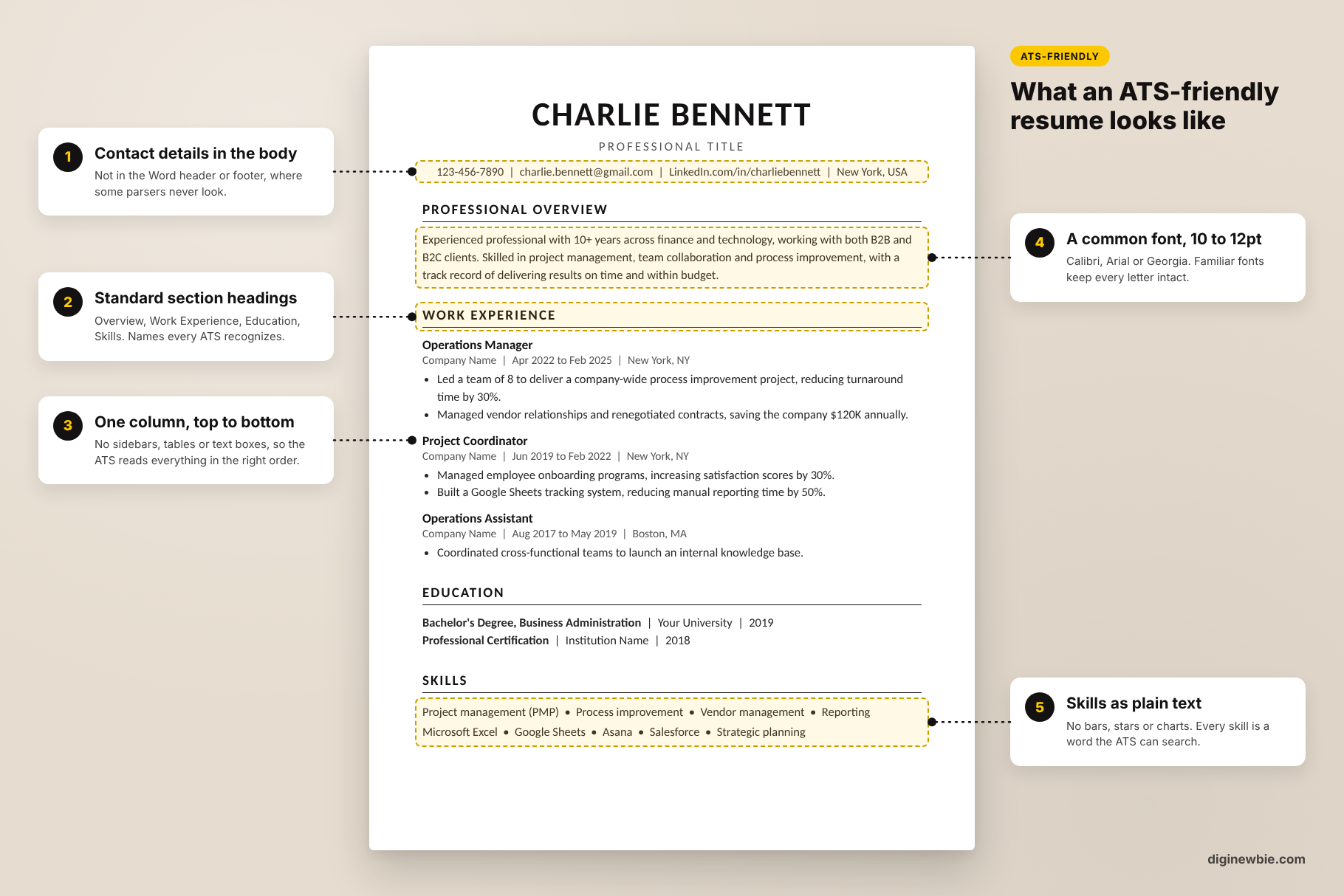
Want a free version of my own template? I share a free 1-page ATS resume template for Word in my ATS resume guide. It’s single-column, with writing guidance in every section. The four options below are ones I didn’t make and don’t earn from. I’ve spent over 10 years across recruitment and marketing, and I wrote this the way I’d advise a friend: if a free option does the job for you, use it.
Microsoft Word ATS templates (free)

Microsoft now has a dedicated collection of ATS-labeled resume templates for Word, including role-specific versions for healthcare, office managers and accounting. You can edit them free in Word for the web with a Microsoft account.
The catch is assembly. The wider gallery mixes ATS versions with graphic-header and photo designs, so stick to the ones labeled ATS. Matching cover letters, references pages and alternate page lengths are pieces you find and match yourself.
Google Docs built-in templates (free)

Google Docs template gallery showing the five free built-in resume templates: Swiss, Serif, Coral, Spearmint and Modern WriterCaption: Google Docs’ five built-in resume templates, found under File, New, From template.
Google Docs includes five resume templates: Swiss, Serif, Coral, Spearmint and Modern Writer. Find them in Google Docs under File, New, From template. They're free and you're already logged in.
Two of the five (Swiss and Serif) use a two-column structure, and none of them includes a profile summary section. They're also so common that recruiters recognize them on sight. For ATS portals, Coral or Spearmint are the safer picks.
Jake's Resume on Overleaf (free, LaTeX)

Jake's Resume is a free, MIT-licensed LaTeX template that's popular in tech and widely shared on Reddit. It's single-column and its source includes a setting that makes the PDF text machine-readable, which is good for ATS parsing.
You need to be comfortable editing LaTeX code in Overleaf, which isn't realistic for most non-technical job seekers. It's a single resume page in US Letter format with no cover letter, and the template hasn't been updated in several years.
Teal resume builder (free plan, paid upgrade)

Teal is a resume builder and job tracker rather than a template file. The free plan includes unlimited resumes, 10 templates, job tracking and a small number of AI credits. Teal+ costs $13 per 7 days, $29 per 30 days or $79 per 90 days (checked October 2026).
It's a good fit if you're applying to many jobs and want keyword matching against each posting. The trade-offs: your resume lives inside Teal's platform rather than as a file you own, and the paid plan is a recurring charge you need to cancel once you're hired.
Are Etsy resume templates worth it?
Etsy resume templates are worth it when the listing clearly states the editors it supports, what files you get and the layout type, and when it has real reviews. Most cost under $10 and download instantly. Since Etsy doesn’t refund instant downloads, check those details before you buy.
Etsy is where a lot of independent designers sell resume templates, and quality varies more than on any other platform. Watch for three red flags:
- A two-column or photo-heavy design labeled “ATS-friendly”
- A Canva-only file when you need to apply through online portals
- A listing that doesn’t say what’s actually in the download
Good listings show every page you’ll receive, list the supported editors, and offer 1-page and 2-page versions with a matching cover letter.
My bias, stated plainly: I sell on Etsy, so I’m not neutral here. The 7 templates in this guide are my picks for the best resume templates on Etsy, not all listed templates are ATS-safe. Each one states its layout, editors and full bundle contents up front, and I’ve judged them against free options on the same criteria. My shop, DiginewbieCo, holds Etsy Star Seller status with a 5.0 rating.
Are Canva Resume Templates ATS-Friendly?
Not always. Many free Canva templates use columns, icons and text boxes that ATS software misreads. Three templates in this list work in Canva: the ATS-Friendly and Software Engineer templates are single-column and built for online applications, while the Corporate Resume with Photo is two-column and best kept for networking and print.
What are the best resume templates for Google Docs?
All 7 templates in my list open in Google Docs. For an all-purpose Google Docs resume, the ATS-Friendly Resume Template is the safest pick; for healthcare, the New Grad Nurse template. If you want free, Google's own Coral and Spearmint templates are single-column and fine for ATS, though neither has a summary section.
Which resume format passes ATS in 2026?
Chronological and combination formats are the safest. Functional resumes, which group experience by skill instead of by job, often confuse ATS parsing because the software looks for dated job entries. Every template in this guide uses a chronological or combination structure. For a deeper breakdown of formats and parsing, read my ATS resume template guide.
Frequently asked questions about resume templates
How this guide is maintained
I checked every price, format and bundle content listed here on October 13, 2026, directly on each product page. I recheck this guide monthly and whenever a listing or a competitor's pricing changes, and I note the date at the top.
Update log
- October 2026: Added evaluation criteria, seller disclosure, comparison table, pros and cons for every template, and 4 free or independent alternatives. Corrected format claims (not every template works in Canva or Pages) and clarified that the Corporate Resume Template with Photo isn't recommended for ATS portals.
- October 3, 2026: First published.
More from
Resume and Career
category