.svg)


Most small marketing teams are not small because of a lack of ambition. They are small because the budget does not stretch to a full department. Two people, maybe three, covering strategy, content, SEO, outreach, social, analytics, and whatever landed in the inbox this morning.
The tools you use in that situation matter more than they do at a 20-person agency. The wrong stack means hours lost every week to manual work that should be automated, data living in five places instead of one, and campaigns that stall because no one has time to chase the next step.
I have been running Diginewbie site and advising small business clients on their marketing stacks for years. Most of the tools on this list I use daily. A few I have tested alongside alternatives and switched away from. All of them have earned their place by doing real work for real small teams, not because they have the largest marketing budget or the most affiliate programs.
Here is what actually works in 2026, what each tool costs, and the honest alternative comparison no one else will give you.
At a Glance: Best No-Code Tools for Small Marketing Teams 2026
1. Webflow: Website and Landing Pages
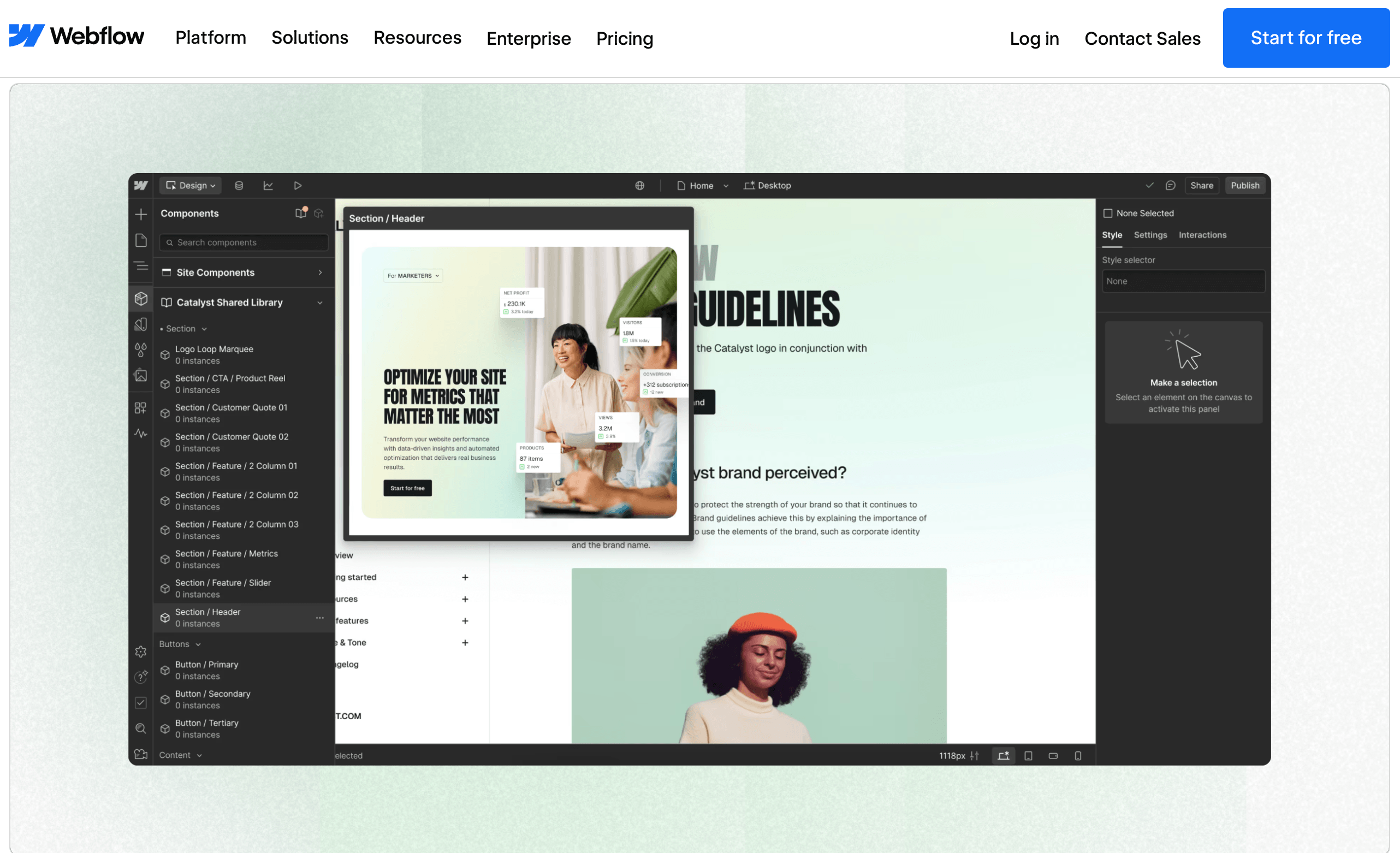
Webflow is where the marketing site lives. Not just a homepage, but the full content operation: blog, landing pages, campaign microsites, lead capture forms. I have been building on Webflow for years and diginewbie.com runs on it. The CMS handles dynamic content cleanly, the SEO controls are granular enough to matter, and the output is clean HTML that performs well in search without extra plugins or workarounds.
What separates Webflow from simpler website builders is design control at the CSS level without writing CSS. You can build something that looks genuinely custom, not template-shaped. For small marketing teams that care about brand, that matters. A landing page that looks like every other Squarespace site does not convert the same way.
The learning curve is real. Most people need a few days to feel confident, not a few hours. But Webflow University is free and well structured, and once you are past that curve the tool gets out of your way completely. Additionally, they have AI website builder which helps a lot.
Best for: Marketing teams that need full control over their web presence and are willing to spend a few days learning the platform properly.
Pricing: Free plan available (Webflow subdomain, no custom domain). Paid plans start from $14/mo (annual billing).
Alternatives to consider: If Webflow feels like too much for where your team is right now, Durable builds a complete website in 30 seconds using AI, including copy, layout and images. It is not as flexible but it gets a service business online fast. Dorik is worth a look for teams managing multiple sites on one budget. For a full comparison see our ranked guide to no-code website builders in 2026.
2. ActiveCampaign: Email Marketing and Automation

ActiveCampaign is one of those email marketing tools that looks complicated until you actually use it, and then you wonder how you managed without it. The automation builder is the best I have seen at its price point. You can build multi-step sequences based on behavior, tags, purchase history, page visits, form submissions, and combinations of all of them, without touching a line of code. The visual workflow canvas makes complex logic readable, which matters when you are handing a sequence off to a teammate or coming back to edit it three months later.
The AI features added in 2025 and 2026 are genuinely useful, not just badge-wearing. Predictive content, send time optimization, and AI-generated email copy that sounds like it came from a person rather than a prompt. For a small team handling email across multiple segments, that kind of automation is the difference between a newsletter and a proper nurture system.
Best for: Small marketing teams that want serious email automation without paying for enterprise software.
Pricing: No free plan. Free trial: 14 days. Paid plans start from $15/mo for 1,000 contacts.
Alternatives to consider: Brevo (formerly Sendinblue) is a genuinely great alternative, not a budget compromise. Its automation is strong, the pricing is contact-volume friendly, and the transactional email setup is clean. Both are great tools for automation. The decision usually comes down to how complex your sequences need to be and how aggressively your list size will drive up the bill.
3. Mixpanel + GA4: The Analytics Combo

Running one analytics tool is table stakes. Running two strategically is where small marketing teams get an edge they rarely talk about.
Google Analytics 4 handles web traffic: where visitors come from, which pages they land on, how sessions flow, what converts. It is free, integrates with Google Ads and Search Console, and gives you the acquisition picture.
Mixpanel handles behavior: what users actually do once they are on your site or inside your product, which paths they take, where they drop off, which cohorts retain. I have used both for a long time and when running them in parallel, Mixpanel's visual reporting stands out clearly. The funnel analysis is faster to build, the cohort comparisons are cleaner, and the interface does not require a data analyst to interpret. For a small team making decisions quickly, that visual clarity saves real time.
Together they give you acquisition data (GA4) and behavior data (Mixpanel) without needing a data warehouse or a BI tool.
Best for: Teams that want to understand both where traffic comes from and what it does once it arrives.
Pricing: GA4 is free. Mixpanel free plan available up to 20M events/mo. Mixpanel paid plans start from $28/mo.
Alternatives to consider: If your team is overwhelmed by both GA4 and Mixpanel, Plausible is worth a look. Privacy-first, five minutes to set up, and shows you the metrics a small team actually checks daily without the interface complexity. It will not replace Mixpanel for behavioral analysis, but for teams that just need clean traffic data without the GA4 learning curve, it is genuinely good.
4. Ahrefs: SEO, Backlinks and Competitor Research

Ahrefs is the only SEO tool I have used most consistently across my entire marketing career, over 10 years of daily use. I use it for keyword research before writing any article, site audits to catch technical issues before they affect rankings, backlink analysis to understand what is working for competitors, and outreach to find potential partners and link prospects. It handles every data-related marketing task I throw at a website.
For small marketing teams, Ahrefs replaces what would otherwise require three or four separate tools. Site Explorer gives you a full picture of any domain's traffic and backlink profile. Keywords Explorer surfaces keyword ideas with accurate difficulty scores. Content Explorer finds the best-performing content in any niche so you know what to write before you invest the time. Site Audit catches broken links, slow pages and missing tags automatically.
Best for: Any small marketing team where SEO and content are part of the strategy, which is most of them.
Pricing: Free plan available via Ahrefs Webmaster Tools (own verified sites only). Paid plans start from $29/mo.
Alternatives to consider: Semrush covers most of the same ground and some teams prefer its interface for PPC research and position tracking. If budget is the main constraint, Mangools is a solid lighter alternative at a significantly lower price point. Start with the free Ahrefs Webmaster Tools on your own site before committing to any paid plan.
5. Notion: Content Planning and Team Organization
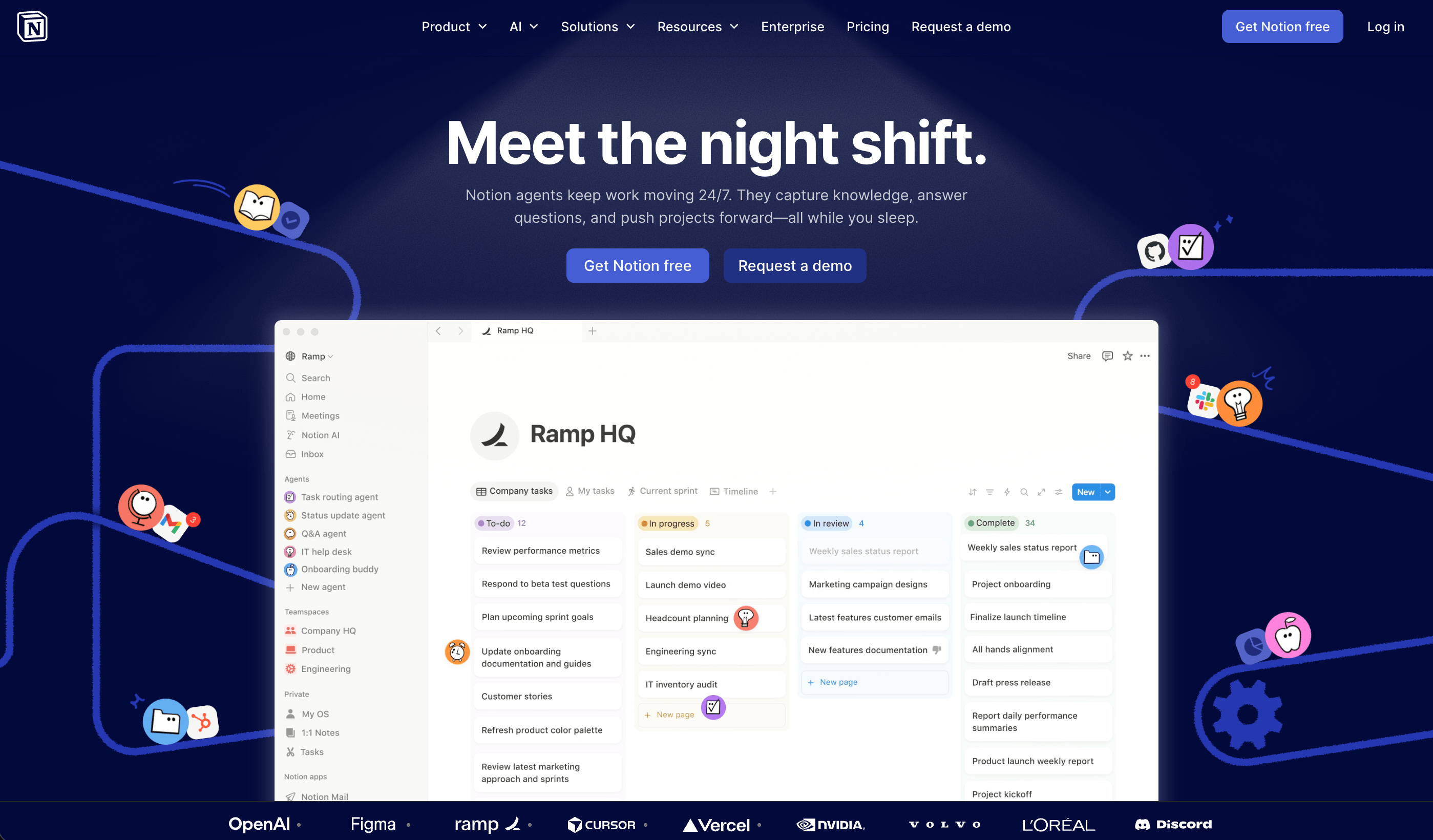
Content chaos is one of the most common problems in small marketing teams. Articles at different stages in different Google Docs, campaign briefs buried in someone's inbox, deadlines tracked in a spreadsheet no one updates. Notion solves this without requiring a project manager to set it up.
I use Notion for editorial calendars, content briefs, campaign planning, and keeping track of what is live versus what is in progress. The database views, particularly Kanban and calendar, give the whole team visibility into what is happening without a daily standup to figure it out. Pages are easy to create, templates make repeatable workflows fast, and the free plan is generous enough that small teams rarely need to upgrade quickly.
Best for: Small marketing teams that need a shared brain for content planning, project tracking and documentation.
Pricing: Free plan available. Paid plans start from $10/user/mo.
Alternatives to consider: Trello is just as intuitive and possibly easier to onboard a team onto quickly. Both are genuinely easy to use from day one. If your team's primary need is visual task tracking rather than a documentation hub, Trello gets the job done with less setup. The choice usually comes down to whether you need a wiki alongside your boards.
6. Hunter.io + Lemlist: Outbound Outreach

These two tools work as a pair because they solve two different problems in the same workflow. Hunter finds the email address. Lemlist runs the campaign.
Hunter.io is the most reliable email finder I have used. You enter a company domain and it surfaces verified contact emails with source attribution, so you know whether the address came from the company's website, a press release, or a directory listing. The verification layer means you are not sending to addresses that bounce and damage your sender reputation.
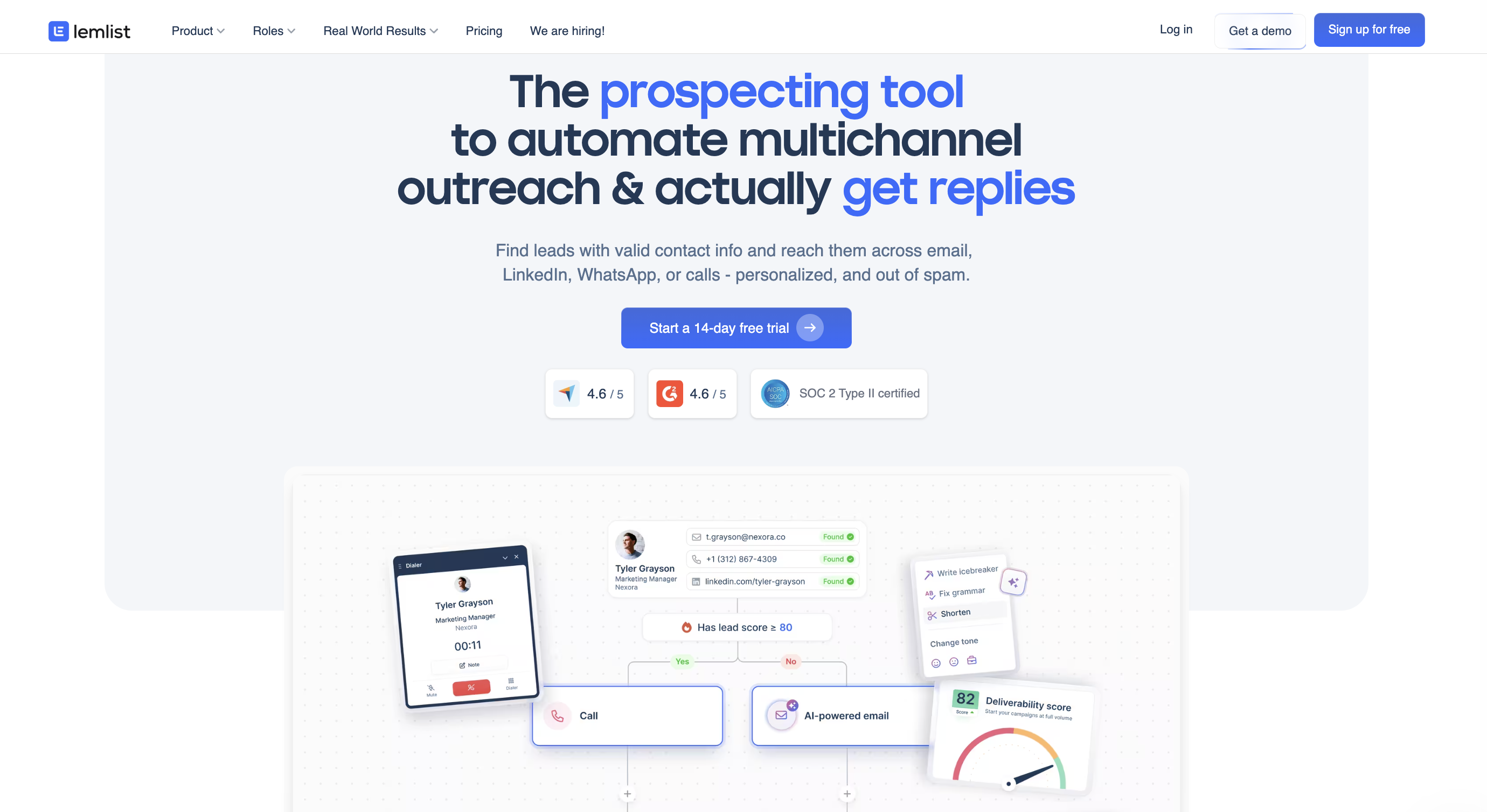
Lemlist handles the outreach itself, and its real differentiator is multichannel sequencing. Where basic outreach tools are limited to email only, Lemlist lets you build outreach across email, LinkedIn, and cold calls in a single automated workflow. The personalization capabilities are advanced: custom intro lines, personalized images with the prospect's name or company logo embedded, AI-generated opening lines, and campaign automation that simulates human-like activity at scale. For a small team running outbound without a dedicated salesperson, that level of personalization changes the reply rate.
Best for: Small marketing teams doing outbound outreach, link building, partnership development, or lead generation.
Pricing: Hunter.io free plan available (25 searches/mo), paid from $34/mo. Lemlist free trial: 14 days, paid from $55/mo.
Alternatives to consider: Apollo.io does both in one platform: contact finding, verification, and multichannel sequencing. It sounds like the obvious choice, but the interface is more complex than either Hunter or Lemlist individually and the learning curve is steeper. For teams new to outbound, starting with Hunter plus Lemlist separately is usually faster to get results from. Apollo makes more sense once you know what you are doing and want to consolidate into one tool.
7. Canva: Visual Content and Design
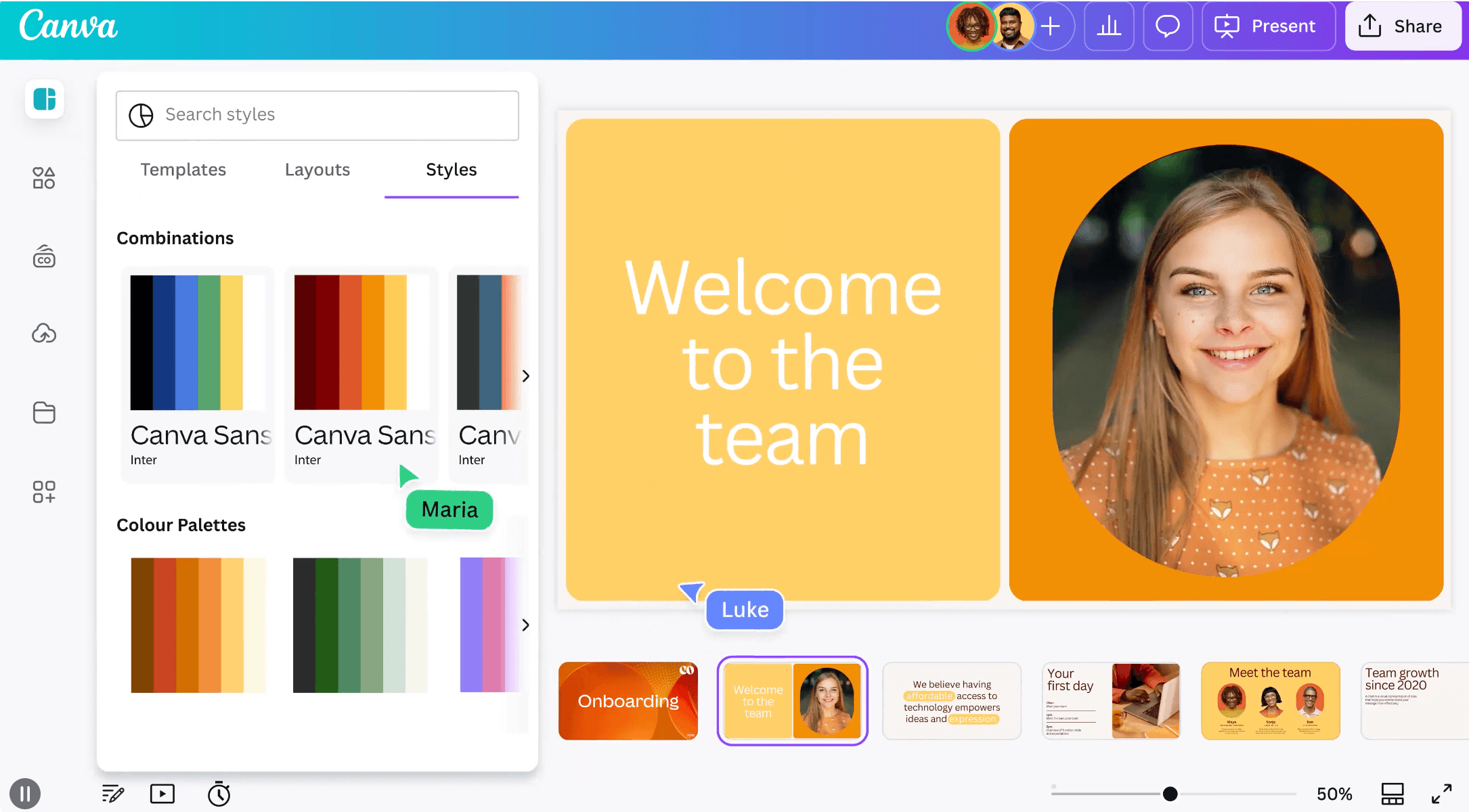
Canva removed the bottleneck between having a design idea and having a finished asset. Social posts, presentation decks, email headers, Pinterest pins, ad creatives, infographics, all of them produced in minutes by someone who is not a designer. I use it regularly for social visuals and it is the easiest design tool I have worked with by a significant margin.
The template library is vast enough that you rarely start from a blank canvas, and the brand kit feature keeps colors, fonts and logos consistent across everything the team produces. The AI tools added in recent updates, including background removal, Magic Write for copy, and the image generator, have made it faster still. For small marketing teams without a dedicated designer, Canva is not a compromise. It is the right tool.
Best for: Any small marketing team producing visual content regularly without a full-time designer.
Pricing: Free plan available. Paid plans start from $15/mo.
Alternatives to consider: Figma is a significantly more powerful design tool but requires real design skills to use well. It is not a Canva alternative for a non-designer, it is a professional design environment that happens to run in the browser. If your team has someone with a design background, Figma unlocks things Canva cannot. If it does not, Canva is the right call.
8. Slack + Loom: Communication and Async Video
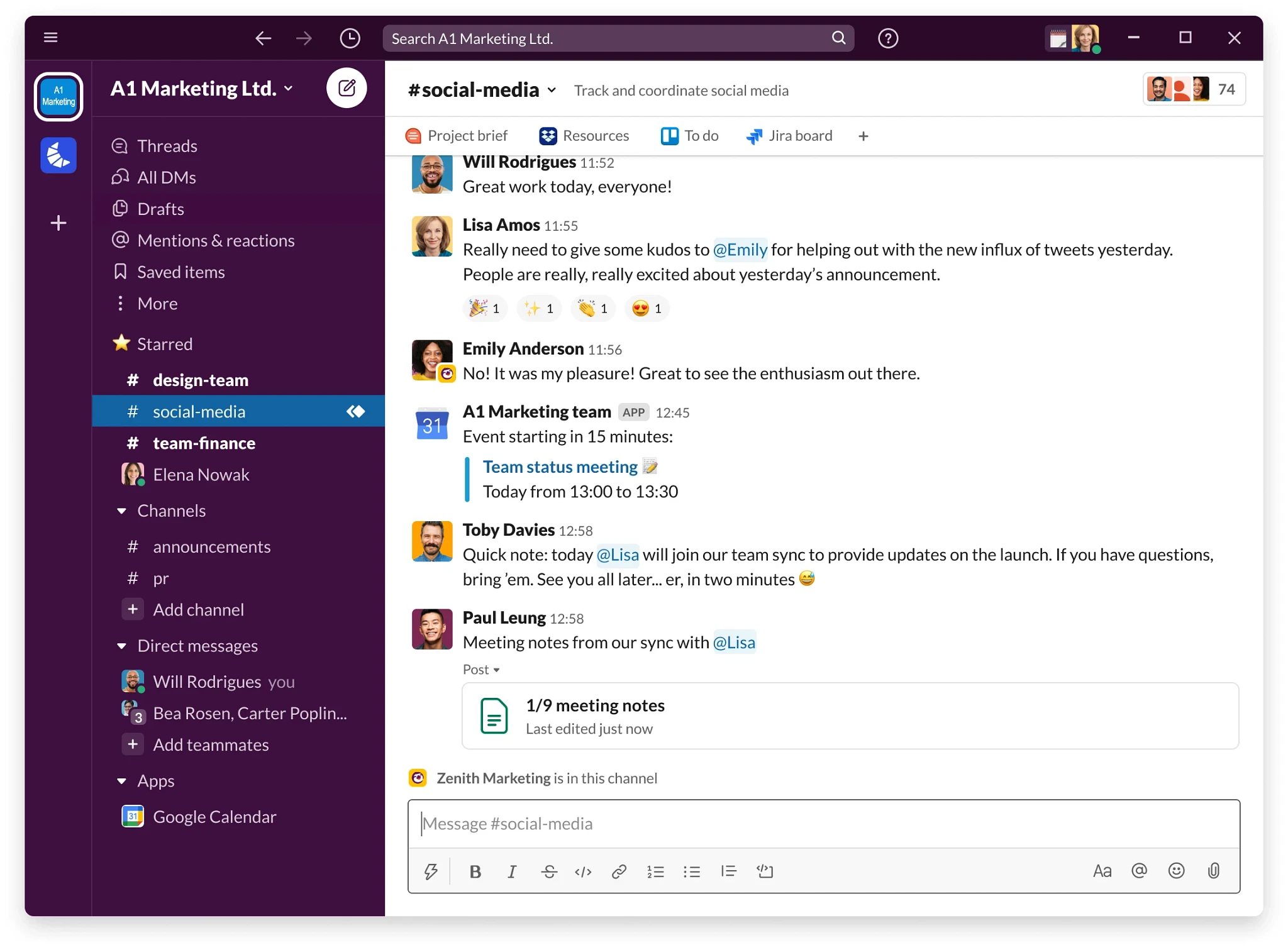
Slack needs almost no introduction. It has become the default communication layer for small teams globally, and for good reason. Channels keep conversations organized by project or topic, integrations bring tool notifications into one place, and the search is good enough to find anything from three months ago without scrolling. Almost every company I have worked with uses Slack. Switching away from it is genuinely disruptive because so much workflow gets built around it over time. It is irreplaceable for most teams, especially remote ones. If your company hires remotely, it needs its own tooling decision.
Loom is not a Slack replacement. It is a different tool for a different problem: the meeting that did not need to be a meeting. A screen recording with voiceover that explains a brief, walks through feedback, or shows someone how to do something takes two minutes to record and can be watched at the recipient's convenience. For small marketing teams working across time zones or with external collaborators, Loom cuts the number of synchronous calls significantly without losing the context that text messages drop.

Best for: Any small marketing team. Slack is the baseline. Add Loom as soon as the team spans more than one time zone or works with external freelancers.
Pricing: Slack free plan available, paid from $7.25/user/mo. Loom free plan available (25 videos), paid from $12.50/user/mo.
Alternatives to consider: Slack is irreplaceable for most teams at this point. The habits, integrations and institutional knowledge built into a Slack workspace are not easily moved elsewhere. Loom is best thought of as an addition to Slack rather than a replacement for anything. If you are not using async video yet, start with Loom's free tier and see how quickly it changes the way you brief work and give feedback.
9. n8n: Workflow Automation
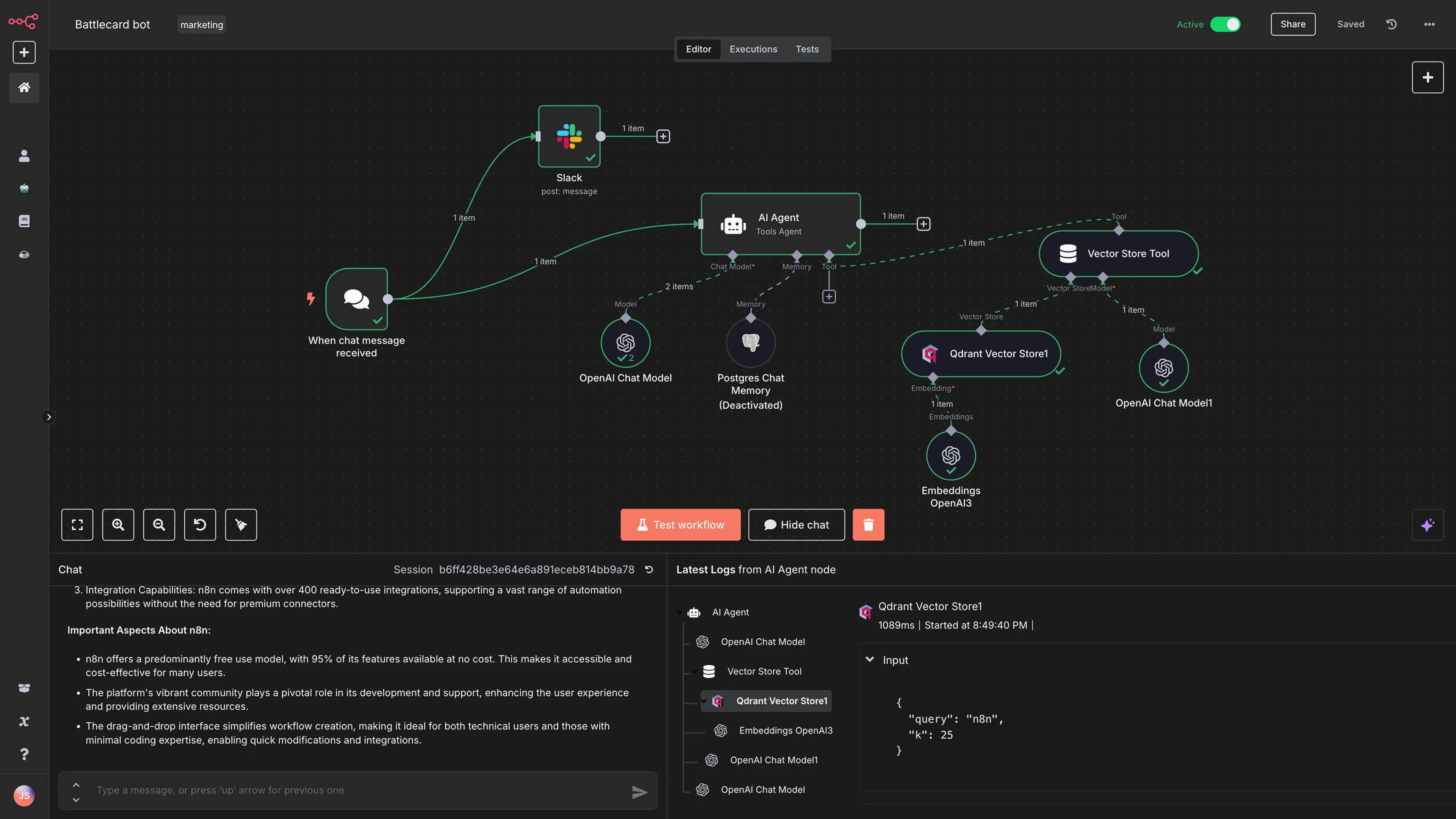
n8n is the workflow automation tool that makes the rest of your marketing stack work together. New lead from a form goes into ActiveCampaign, gets tagged, triggers a Slack notification to the sales team, and adds a row to a Notion database. That entire workflow runs automatically once you build it, and building it does not require writing code in the traditional sense, though n8n does let you add JavaScript nodes when you need more control.
The learning curve is real and steeper than most tools on this list. n8n expects you to think in terms of nodes, triggers, and data transformations, and the interface does not hold your hand the way simpler tools do. But the payoff is significant. n8n is open-source and self-hostable, which means no per-operation billing eating into your budget as your workflows scale. The AI agent capabilities added in 2025 let you build automations that react to content and context, not just simple triggers.
Best for: Small marketing teams with at least one person comfortable with logic-based tools, who want to automate across their entire stack without paying per operation as they scale.
Pricing: Free plan available via self-hosting. Cloud paid plans start from $20/mo.
Alternatives to consider: Make.com covers most of the same automation territory with a more approachable visual interface and over 1,500 pre-built app connectors. If n8n feels too technical right now, Make is the right starting point. It is genuinely no-code, the scenario builder is drag-and-drop, and most marketing automations can be built without any scripting. The trade-off is credit-based pricing that scales with usage, so complex high-volume workflows can get expensive faster than n8n's execution-based model.
10. Metricool: Social Media Scheduling and Analytics
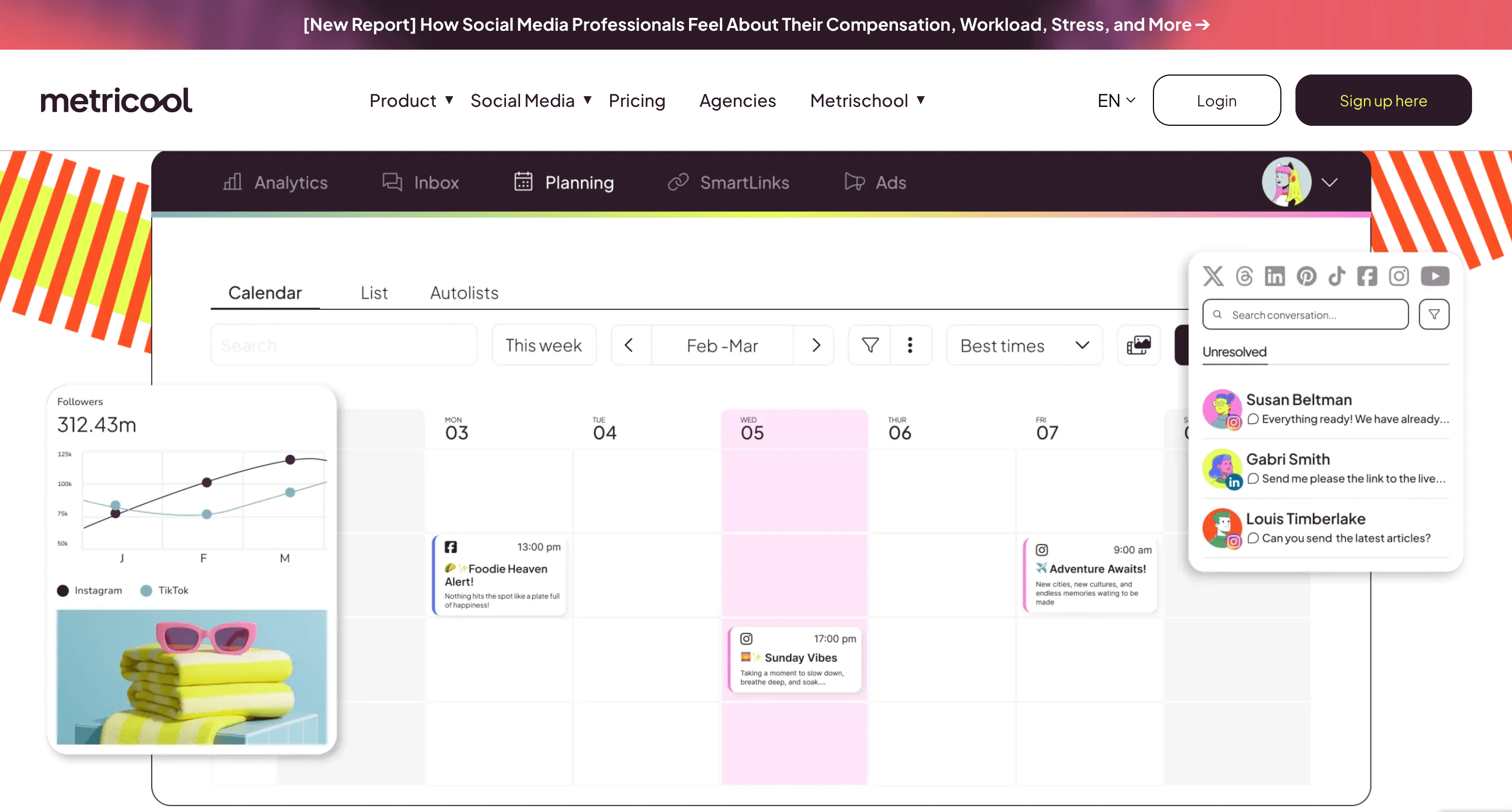
Metricool sits in a category most social tools claim to cover but few actually deliver on: the combination of scheduling and real analytics in one place. Most scheduling tools show you basic engagement numbers. Metricool shows you performance data across multiple platforms in a unified dashboard, including paid campaigns alongside organic, which means you can see the full social picture without jumping between platform-native tools.
The scheduler covers all major platforms and the content calendar is one of the more intuitive ones at this price point. The competitor analysis feature is useful for small teams: you can benchmark your social performance against up to five competitors without needing a separate social listening tool. The free plan is genuinely useful to start, though the 20-post monthly limit means most active teams will upgrade reasonably quickly.
Best for: Small marketing teams managing social across multiple platforms who want scheduling and analytics in one tool without paying for a full enterprise social suite.
Pricing: Free plan available (20 posts/mo). Paid plans start from $22/mo.
Alternatives to consider: SocialBee takes a different approach built around content categories and evergreen recycling. Instead of a flat calendar, it organizes posts into rotating category buckets: educational content, promotional posts, curated articles, each posting on its own schedule. If evergreen content is a big part of your social strategy, SocialBee's structure makes more sense than Metricool's calendar model. If you are analytics-first, Metricool wins.
How to Build Your Stack Without Overcomplicating It
Not every team needs all ten tools from day one. The order in which you add them matters more than the final list.
Start with the tools that cover your biggest current bottleneck. If content production is chaotic, Notion comes first. If you are spending hours on social media manually, Metricool comes before automation. If outbound is a priority, Hunter and Lemlist before anything else.
Add automation last, not first. n8n and Make are most valuable when you have enough volume of repetitive tasks to justify the setup time. A team sending 10 emails a week does not need an automation workflow. A team sending 500 does.
The tools on this list work together. Ahrefs informs what Webflow pages to build. ActiveCampaign captures the leads those pages generate. Mixpanel and GA4 show which pages and campaigns convert. Notion tracks what gets built next. That connected stack is worth more than any individual tool in it.
Frequently Asked Questions About Tools for Small Marketing Teams
More from
Tools and Apps
category